Using FireWire Coolscans with Thunderbolt 4/5 PCs
The Problem:
For several years, the way to connect a FireWire Coolscan with a modern PC has been to use Thunderbolt, alongside a long string of adapters.
Apple Thunderbolt 3 (USB-C) to Thunderbolt 2, then the Apple Thunderbolt 2 to Firewire 800, then finally Firewire 800 to Firewire 400.
The joys of the modern world!
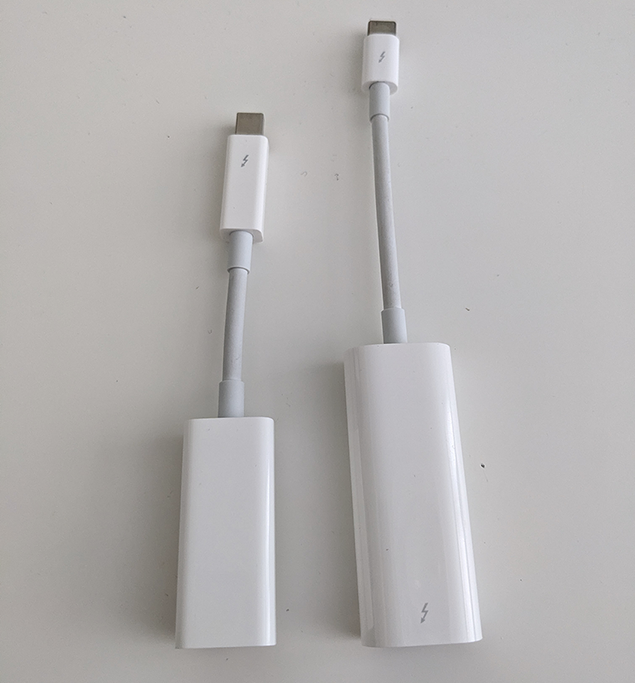
This used to work brilliantly, but after a security update to Thunderbolt 4 machines in mid 2024, all Thunderbolt 2 devices (such as the Apple adapter string) suddenly stopped working on TB4 machines (like my Intel NUC desktop)
Hooray for backwards compatibility!
The fix(es):
After learning that I would not be able to use my scanner with my PC in its' current state, I started searching the web for a fix.
However, I quickly realised that there's a LOT of misinformation, and most supposed fixes don't work!
So, here's what worked for me, and everything I tried that didn't :)
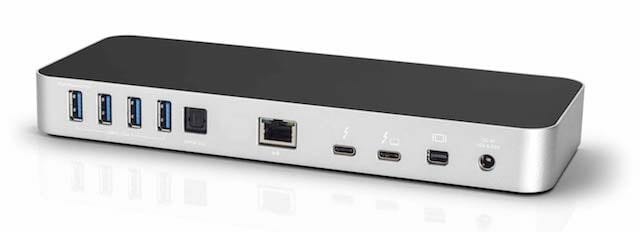
🌟 OWC 13-port Thunderbolt 3 dock (OWCTB3DK13PSG)
This TB3 dock is in my opinion the IDEAL solution if you must use Thunderbolt.
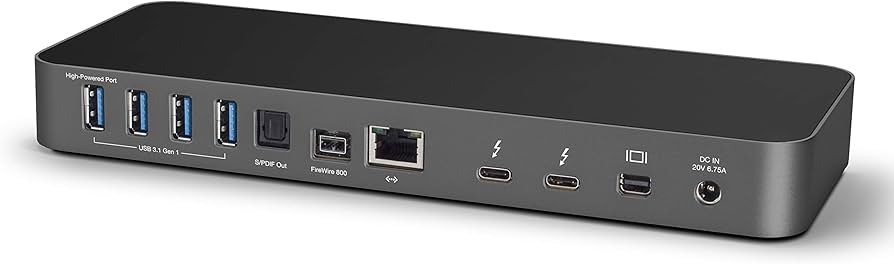
It's got a proper PCIe connected LSI FireWire 800 controller, as well as a fast SDXC slot and a bunch of other useful ports. (who doesn't need more USB?!)
Most importantly, it works flawlessly with my Coolscan 8000!
However, BUYER BEWARE if you're picking one of these up...
OWC released two versions of this dock under the same model number (OWCTB3DK13PSG), and the later one does NOT have a FireWire port!
Make sure you see the back panel of the actual dock you're buying, and check that it looks like the above one.
If it looks like the one below, you've got the non-FireWire version which will not work.