
Using FireWire Coolscans with Thunderbolt 4/5 PCs
The Problem:
For several years, the usual way to connect a FireWire Coolscan with a modern PC has been to use Thunderbolt, alongside a long string of adapters.
Apple Thunderbolt 3 (USB-C) to Thunderbolt 2, then the Apple Thunderbolt 2 to Firewire 800, then finally Firewire 800 to Firewire 400.
The joys of the modern world!
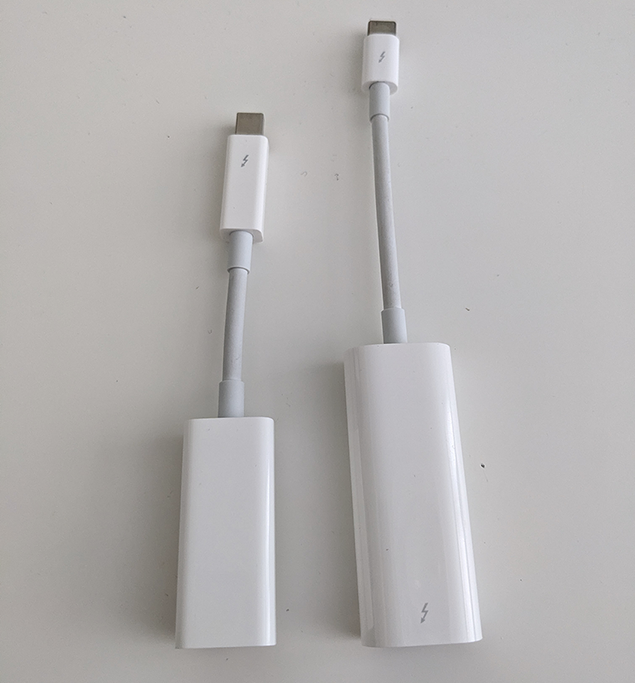
This used to work brilliantly, but after a security update to Thunderbolt 4 machines in mid 2024, all Thunderbolt 2 devices (such as the Apple adapter string) suddenly stopped working on TB4 machines (like my Intel NUC desktop)
Hooray for backwards compatibility!
The fix(es):
After learning that I would not be able to use my scanner with my PC in its' current state, I started searching the web for a fix.
However, I quickly realised that there's a LOT of misinformation, and most supposed fixes don't work!
So, here's what worked for me, and everything I tried that didn't :)
🌟 OWC 13-port Thunderbolt 3 dock (OWCTB3DK13PSG)
This TB3 dock is in my opinion the IDEAL solution if you must use Thunderbolt.
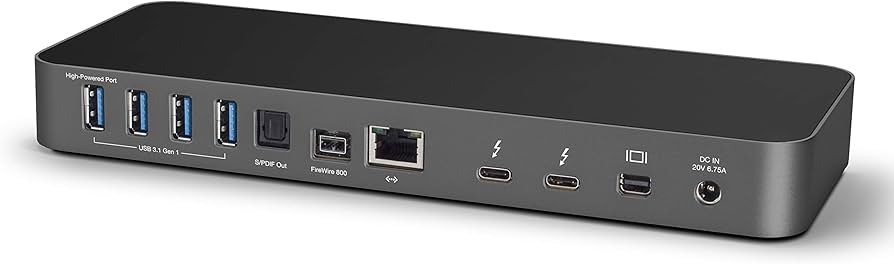
It's got a proper PCIe connected LSI FireWire 800 controller, as well as a fast SDXC slot and a bunch of other useful ports. (who doesn't need more USB?!)
Most importantly, it works flawlessly with my Coolscan 8000!
Mine cost me £60 on ebay, but came without a power supply.
(the power supply is a Chicony A16-135P1A if you need one! cost about £15)
However, BUYER BEWARE if you're picking one of these up...
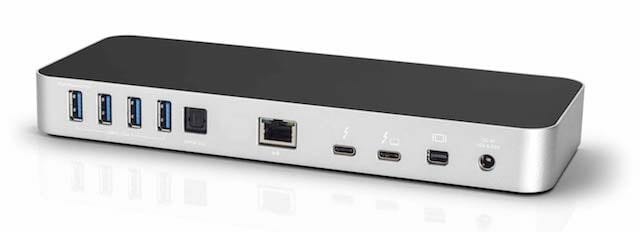
OWC released two versions of this dock under the same model number (OWCTB3DK13PSG), and the later one does NOT have a FireWire port!
Make sure you see the back panel of the actual dock you're buying, and check that it actually has FireWire! (like the above one)
If it looks like the one below, you've got the non-FireWire version which will not work.
🌟 Install a PCIe FireWire card
If you've got a spare PCIe x1 slot in your PC, this is by far the cheapest and best solution.
I guess you could also put one of these into a Thunderbolt PCIe enclosure such as the ones used for external graphics cards, but that would be wayy more expensive than the OWC dock!
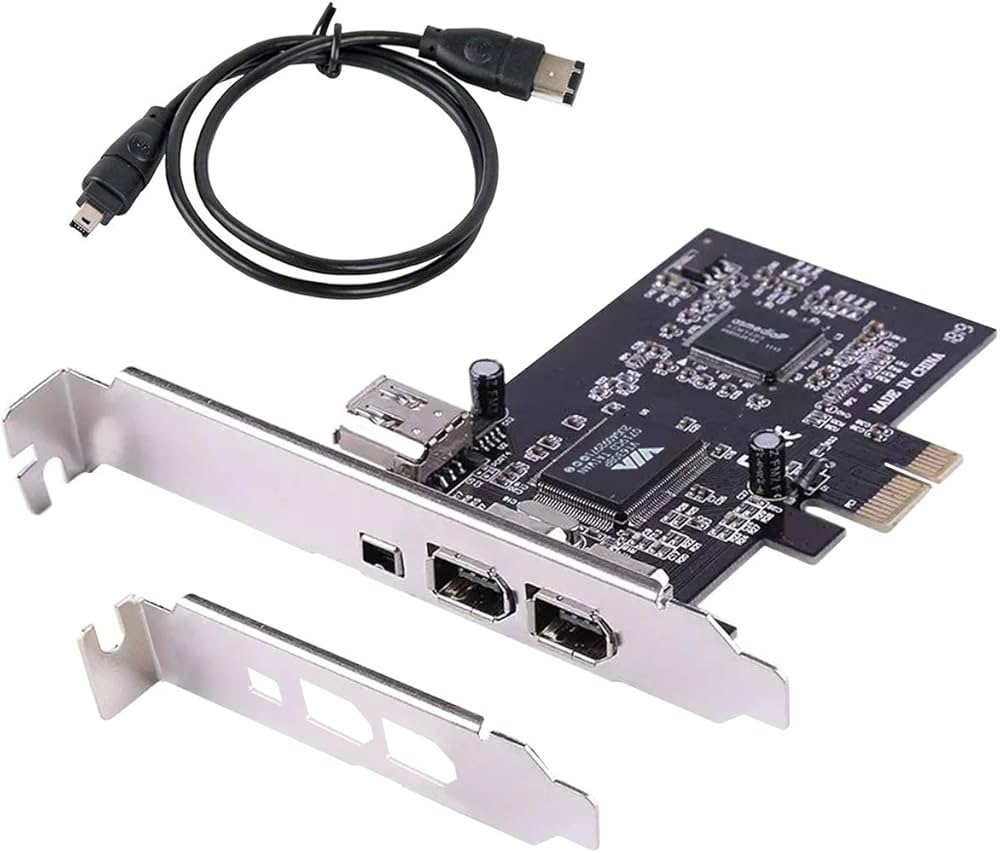
These are about £20 on Amazon, just make sure you find one with Windows 10/11 drivers (or whatever you're using)
💩 Downgrading your Thunderbolt controller firmware
This is a solution I've seen online, but it did not work for me for various reasons.
It also seems like bad juju to downgrade something intended to improve security, but maybe that's just me!
Thunderbolt 2 devices became incompatible with TB4 controllers after a firmware update to fix a severe (but limited) security issue, where an attacker with physical access to your PC could use a bad TB2 device to read the contents of your system's RAM.
To address this, Intel released a Thunderbolt 4 controller firmware update called NVM36.
It intentionally broke compatibility with devices older than Thunderbolt 3, as they do not support the new secure spec for accessing memory.
I did try to downgrade my NVM firmware, but due to my NUC's Thunderbolt controller being integrated into the CPU, it would not work.
In theory I could downgrade the NUC's BIOS, but in practice it's impossible to downgrade to (or even find) an old enough version.
You can find instructions online if you want to try this, however!
Just search for "Thunderbolt 4 NVM31 downgrade"
also if you're trying this with a non-integrated TB4 controller, here's a link to the downgrade utility as it's quite hard to find!
ROG-MAXIMUS-Z690-HERO_TBT_FW_31_V1.4.zip
💩 Connecting the Apple TB2-FW800 adapter through a Thunderbolt 3 hub
Another solution I've seen referenced online was connecting the Apple adapter chain to a TB3 hub or dock, and connecting that to your TB4 machine.
Supposedly this would bypass the extra security checks and allow the adapter to work.
Supposedly...
When I connected the Apple adapters to my OWC dock's downstream TB3 port, nothing happened.
I also tried this with a Lenovo TB3 dock, but again nothing happened.
Don't even bother with this, it won't work.
💩 USB to FireWire cables
DON'T use these if you value your scanner being in a working condition. Just don't.
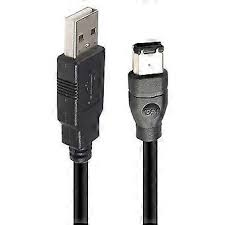
FireWire and USB are completely different standards, and are not at all compatible with one another.
Directly connecting USB to your Coolscan's FireWire port WILL blow the FireWire chip and break the scanner.
I'm not actually sure what these cables do work with either, so probably best to stay away.
anyway...
I hope this helps someone avoid hunting around aimlessly for a way to use their scanner :)
Happy scanning!
No Comments