
Using FireWire Coolscans with Thunderbolt 4/5 PCs
The Problem:
For several years, the way to connect a FireWire Coolscan with a modern PC has been to use Thunderbolt, alongside a long string of adapters.
Apple Thunderbolt 3 (USB-C) to Thunderbolt 2, then the Apple Thunderbolt 2 to Firewire 800, then finally Firewire 800 to Firewire 400.
The joys of the modern world!
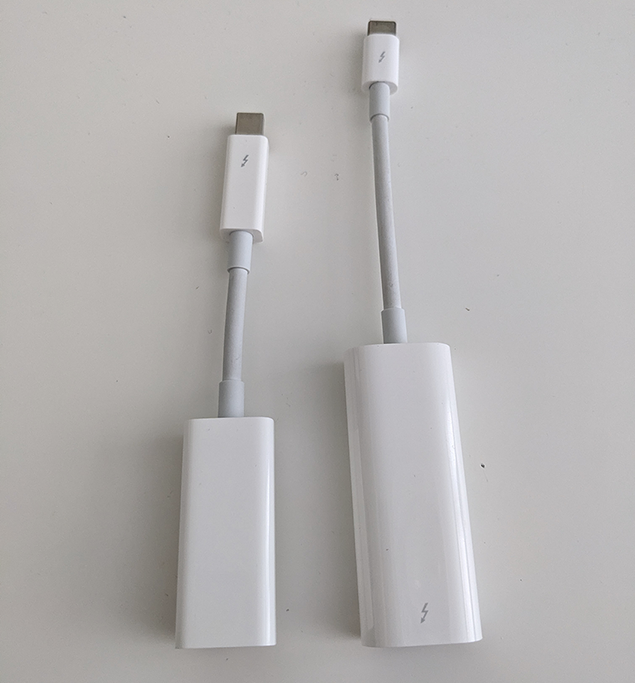
This used to work brilliantly, but after a security update to Thunderbolt 4 machines in mid 2024, all Thunderbolt 2 devices (such as the Apple adapter string) suddenly stopped working on TB4 machines (like my Intel NUC desktop)
So muchHooray for backwards compatibility!
The fix(es):
After learning that I searchedwould not be able to use my scanner with my PC in its' current state, I started searching the web for possiblea solutionsfix.
However, toI thisquickly realised that there's a LOT of misinformation, and most supposed fixes don't work!
So, here's what worked for me, and everything I tried that didn't :)
🌟 OWC 13-port Thunderbolt 3 dock (OWCTB3DK13PSG)
This TB3 dock is in my opinion the IDEAL solution if you must use Thunderbolt.